02 eSIM: A Practical Travel Guide for 2025
Confused by the 02 eSIM label? Learn what it really means, how eSIM travel data works, when it beats roaming, and how to install one before you fly.
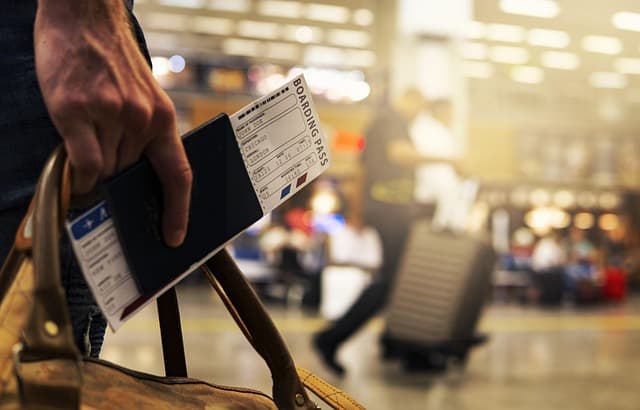
"02 eSIM" is not a single global product — it usually refers to eSIM number two on your phone, a second eSIM line, or an eSIM bought for a second trip, and the exact meaning depends on where you saw the term. In travel contexts, it almost always means adding a second eSIM plan alongside your primary line so you get local data abroad without touching your home SIM. This guide explains how that setup works, what to check for eSIM iPhone and Android compatibility, and how to choose between travel eSIM brands, a local SIM card, and your home carrier's roaming.
Key Takeaways
- "02 eSIM" is ambiguous: it can mean a second eSIM profile, a second line on a dual-SIM phone, or simply the second eSIM plan you buy.
- Dual eSIM support matters: many modern phones hold multiple eSIM profiles but only run two lines (one physical + one eSIM, or two eSIMs) at the same time.
- Travel eSIMs are data-first: providers like Airalo, Holafly, Nomad, and Saily sell app-based data plans for specific countries or regions.
- You can keep your number active: your home line stays on for calls and SMS while the travel eSIM handles data.
- Install before you fly: adding the eSIM at home on Wi-Fi avoids airport Wi-Fi fumbling and lets you test it.
What Does "02 eSIM" Actually Mean?
The label "02" shows up in three very different situations, and mixing them up leads to wrong purchases.
- eSIM slot number: On dual-SIM phones, settings screens list lines as "Primary" and "Secondary," or sometimes label them with numbers. A plan sitting in the second slot is a second eSIM.
- A second eSIM profile: If you already have one travel eSIM installed, the next one you add becomes your second eSIM — useful when you want separate plans for two countries.
- Numbering in your own notes: Frequent travelers often label plans "01" for the first trip and "02" for the next, purely for personal reference.
None of these are a distinct carrier or technology. The underlying product is still a standard eSIM — a downloadable SIM profile that lives inside your phone.
What Is an eSIM and Why Travelers Use It
An eSIM (embedded SIM) is a chip soldered into your phone that stores carrier profiles digitally. Instead of buying a plastic SIM card, you scan a QR code or tap an activation link, and the profile installs in seconds.
For travel, that means you can buy data for a destination before departure and land already connected. No hunting for a SIM kiosk, no swapping tiny cards, and no losing your home SIM in the process.
If you want a step-by-step walkthrough, see the eSIM installation guide, and to see which countries are covered, browse the destination list.
eSIM vs Local SIM vs Roaming: What Actually Costs Less
Prices change constantly, so treat the table below as a structural comparison rather than a quote. Always check the live plan page for current rates.
| Option | Setup | Best for | Watch-outs |
|---|---|---|---|
| Travel eSIM (Airalo, Holafly, Nomad, Saily, etc.) | Install online before departure, activate on arrival | Short trips, multi-country routes, keeping your number active | Data-only on most plans; device must be eSIM-compatible and carrier-unlocked |
| Local physical SIM | Buy in-country, usually with ID registration | Long stays, heavy local usage, local calls | Queues at the airport, registration rules, losing your home SIM access |
| Home carrier roaming | Nothing to install | Very short trips, emergencies | Often the most expensive per GB; speed may be throttled |
| Second eSIM / "02 eSIM" line | Install as an additional profile | Two countries with separate plans, or splitting work and personal data | Only two lines can be active at once on most phones |
Popular eSIM Providers Travelers Compare
Brands come up repeatedly in traveler discussions, and each tends to differentiate on one axis.
- Airalo: a large catalog of country and regional plans, popular for broad coverage. An Airalo eSIM is a common first purchase for new eSIM users.
- Holafly: known for unlimited-data style plans on selected destinations, which suits heavy users who dislike tracking GB.
- Nomad: regional bundles and flexible plan sizes; a Nomad eSIM is often chosen for Asia and Europe trips.
- Saily: app-first purchasing with straightforward plan tiers; plenty of travelers search Saily eSIM Thailand before a Bangkok trip.
- Free eSIM trials: some providers and apps offer a small complimentary or trial data allowance. Availability changes often, so verify inside the app rather than relying on older blog posts.
You can compare compatible options side by side in the full eSIM plan catalog.
Device Compatibility: eSIM iPhone and Android Checklist
Two conditions must be true before buying: your phone must support eSIM, and it must be carrier-unlocked.
- iPhone: eSIM support arrived with the XS/XR generation and continues on later models. On an eSIM iPhone, check Settings → General → About for an EID or IMEI entry that indicates eSIM capability.
- Android: support varies by model and region. Dial *#06# and look for an EID, or check Settings → Network & Internet → SIMs for an "Add eSIM" option.
- Carrier lock: a phone locked to a carrier may refuse third-party profiles. Ask your carrier to unlock it before you travel.
- US buyers: an eSIM USA plan is handy for visitors, while a Verizon eSIM refers to Verizon's own network eSIM offering for its customers rather than a travel product.
How to Install and Activate a Travel eSIM
The process is consistent across most providers and takes a few minutes.
- Buy the plan for your destination and confirm the validity window and data allowance.
- Install the profile using the provider's QR code or app deep link, ideally while on home Wi-Fi.
- Label the line something memorable like "Travel Data" so you do not confuse it with your primary number.
- Set your default data line to the travel eSIM and keep your primary line active for calls and SMS.
- Enable data roaming on the travel eSIM line only — that is usually required for it to connect abroad, even though it is not roaming in the traditional sense.
- Check your APN settings if data does not flow; most plans configure automatically, but some require a manual APN entry from the provider's setup page.
Want the full walkthrough with screenshots-level detail? Read how to install an eSIM, and for background on how plans are delivered, see how eSIMFlux works.
Network Coverage and Carrier Partners
Travel eSIMs do not build their own towers — they resell access to local mobile networks. That means your experience depends on which carrier your provider partners with in each country.
- Coverage quality varies by country, not just by provider. A brand that performs well in one market may sit on a weaker network in another.
- 5G access is not guaranteed on every plan; some are 4G/LTE only, which is still plenty for maps and messaging.
- Check the partner network before buying if coverage matters for your route, especially outside major cities.
Airport Connectivity: What Happens When You Land
The main advantage of installing before departure is that your phone connects the moment you switch off airplane mode.
- Before takeoff: install the profile, set the travel eSIM as your data line, and leave it turned off or inactive.
- After landing: disable airplane mode, turn on the travel eSIM line, and turn on data roaming for that line only.
- If nothing connects: restart the phone, re-check the APN, and confirm you are in a covered country. Most issues resolve within a minute or two.
Troubleshooting Common eSIM Problems
- No data after landing: confirm the travel eSIM is selected as the data line and that roaming is enabled on that specific line.
- QR code will not scan: install via the app or enter the activation code manually.
- Profile installed but no signal: toggle airplane mode, then restart the device.
- Slow speeds: check whether your plan specifies a particular partner network and manually select it if your phone allows.
- Accidental charges on your home line: turn off data roaming on your primary line so it only handles calls and SMS.
Practical Checklist Before You Fly
- Confirm your phone is eSIM-capable and carrier-unlocked.
- Check the EID appears in your device settings as proof of eSIM support.
- Buy a plan that matches your exact destination and trip length.
- Install the eSIM at home on reliable Wi-Fi and label the line clearly.
- Set the travel eSIM as your default data line; keep your primary line for calls.
- Enable roaming on the travel eSIM only.
- Screenshot your activation details and provider support link for offline reference.
- Test the connection before departure if the plan allows early activation.
Frequently Asked Questions
What is an "02 eSIM"?
It is not a standard product name. Most often it refers to a second eSIM profile on a dual-SIM phone, a second travel eSIM you added for a new trip, or a personal label for the second plan in your lineup. The technology is a normal eSIM either way.
Can I use two eSIMs at the same time?
Many modern phones store multiple eSIM profiles but only keep two lines active at once — typically one physical SIM plus one eSIM, or two eSIMs on newer devices. Check your model's dual-SIM documentation before relying on three active lines.
Is a travel eSIM cheaper than roaming?
For anything beyond a very short trip, travel eSIM data plans are generally structured to cost less per gigabyte than home-carrier roaming. Compare live prices for your destination rather than assuming, since both change frequently.
Do I need to remove my physical SIM to use an eSIM?
Usually no. You can keep your physical SIM in place for calls and SMS while the eSIM handles data. Just make sure your default data line is set to the eSIM so you are not billed for roaming data on your home plan.
Which is better, Airalo, Holafly, Nomad, or Saily?
They differ mainly in plan structure rather than universal quality. Unlimited-style plans, per-country plans, and regional bundles suit different trips, so match the provider to your route and data habits rather than picking on brand alone.
Why is my eSIM not connecting after I land?
The most common causes are roaming being disabled on the eSIM line, the wrong line selected for data, or a missing APN. Restart the phone and verify those three settings before contacting support.
Ready to compare options for your route? Browse all eSIM plans and check coverage on the destination guide before you book.
Travel connected
Choose your destination and compare eSIM plans
Get digital delivery, transparent validity, and plan details before you travel.