Best eSIM App for iPhone: A Practical Travel Guide
Discover the best eSIM app for iPhone travelers. Compare top apps, activation steps, coverage, and costs to stay connected abroad effortlessly.

Key Takeaways
- The best eSIM app for iPhone depends on your travel needs—consider coverage, ease of use, and pricing.
- eSIMs offer instant connectivity without physical SIM cards, ideal for international travel.
- Activation is straightforward via QR code or app, but ensure your iPhone is eSIM-compatible and carrier-unlocked.
- Compare apps like eSIMFlux, Airalo, and Holafly for features and destination support.
- Troubleshoot common issues like APN settings and network selection to stay connected.
If you're traveling internationally and want seamless connectivity on your iPhone, the best eSIM app for iPhone is one that offers broad coverage, easy activation, and reliable support. With an eSIM, you can avoid physical SIM swaps and expensive roaming charges. This guide compares top eSIM apps, explains how to activate them, and helps you choose the right one for your trip.
Why Use an eSIM on Your iPhone?
An eSIM (embedded SIM) is a digital SIM that allows you to activate a cellular plan without a physical card. iPhones from XS onward support eSIM, making it a convenient option for travelers. Benefits include instant activation, multiple profiles, and cost savings compared to traditional roaming.
Unlike physical SIMs, eSIMs let you keep your primary number active for calls and texts while using a local data plan abroad. This is perfect for staying reachable without sacrificing data affordability.
What Makes the Best eSIM App for iPhone?
When evaluating eSIM apps, consider these key factors:
- Coverage: Does the app offer plans for your destination? Check partner networks for 4G/5G speeds.
- Ease of use: A user-friendly interface and clear activation instructions are essential.
- Pricing: Compare data packages and validity periods. Avoid hidden fees.
- Support: Reliable customer service via chat or email.
- Compatibility: Ensure your iPhone model supports eSIM and is carrier-unlocked.
Top eSIM Apps for iPhone Compared
Here's a comparison of popular eSIM apps for iPhone travelers. Note that features and prices may vary, so check each provider's website for the latest details.
| App | Coverage | Activation | Key Features |
|---|---|---|---|
| eSIMFlux | Global (100+ countries) | QR code or app | Competitive rates, easy management, 24/7 support |
| Airalo | Global (200+ destinations) | QR code or app | Wide coverage, user-friendly app, top-up options |
| Holafly | Global (100+ countries) | QR code | Unlimited data plans on select destinations |
| Nomad | Global (100+ countries) | QR code or app | Affordable plans, regional packages |
eSIMFlux stands out for its balanced mix of coverage, affordability, and user experience. Browse all eSIM plans to find one that suits your itinerary.
How to Activate an eSIM on iPhone
Activation is quick and can be done before you travel or upon arrival. Follow these steps:
- Purchase a plan from your chosen eSIM app or website.
- Receive a QR code via email or in the app.
- Scan the QR code with your iPhone camera (or enter details manually).
- Label your eSIM (e.g., "Travel Data") for easy identification.
- Set your eSIM as the primary data line when abroad.
- Enable data roaming for the eSIM line (this is safe as it uses the local plan).
For detailed instructions, refer to your provider's guide. Most apps offer step-by-step tutorials.
Coverage and Network Partners
eSIM apps partner with local carriers to provide coverage. For example, in Europe, you might connect to networks like Vodafone or Orange; in the US, T-Mobile or AT&T. Check the app's coverage map for your destination to ensure reliable 4G/5G service. Speed and availability depend on the local network and your plan.
Airport Connectivity Upon Landing
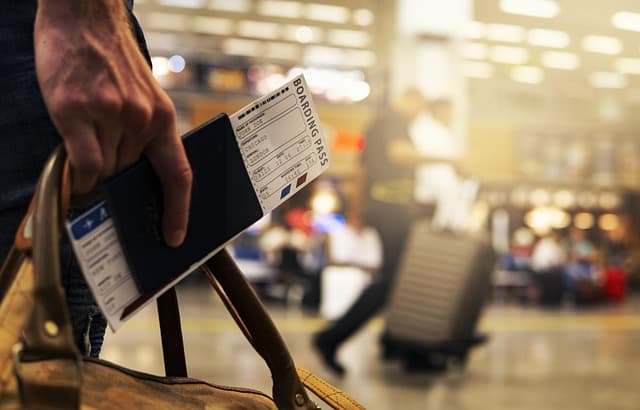
With an eSIM, you can activate your plan before departure, so you're connected the moment you land. No need to hunt for a SIM vendor or rely on airport Wi-Fi. Test your eSIM at the airport to confirm it's working, and keep your primary SIM active for calls if needed.
Troubleshooting Common eSIM Issues
- No data connection: Check APN settings (usually automatic, but may require manual entry).
- Slow speeds: Ensure you're on the correct network and data roaming is on.
- Activation failure: Verify QR code is valid and your iPhone is unlocked.
- Support: Contact the app's customer service for help.
eSIM vs Local SIM vs Roaming
Compare your options to choose the most cost-effective and convenient solution.
| Feature | eSIM | Local SIM | Roaming |
|---|---|---|---|
| Activation | Instant, digital | Requires physical swap | Automatic |
| Cost | Competitive | Lowest | Highest |
| Convenience | High | Moderate | High |
| Flexibility | Multi-profile | Single profile | Limited |
eSIM is ideal for short trips or when you need seamless connectivity. For long stays, a local SIM might be cheaper. Roaming is convenient but often costly.
Practical Checklist
- Check your iPhone model supports eSIM (iPhone XS or later).
- Ensure your iPhone is carrier-unlocked.
- Research eSIM apps for your destination and compare plans.
- Purchase and install your eSIM before travel.
- Test the eSIM at home or upon arrival.
- Save your provider's support contact.
- Monitor data usage to avoid overages.
FAQ
Which iPhone models support eSIM?
iPhone XS, XS Max, XR, and newer models (including SE 2020 and later) support eSIM. Check Apple's website for a full list.
Can I use two eSIMs at once?
Yes, iPhone models with dual eSIM support (iPhone 13 and later) allow two active eSIMs, but only one can be used for cellular data at a time.
Do eSIM apps work in all countries?
Coverage varies by provider. Most major eSIM apps offer plans for over 100 countries, but check specific destinations before purchase.
How do I activate an eSIM on iPhone?
Purchase a plan, scan the QR code with your iPhone camera, and follow the prompts to install. Then enable data roaming for the eSIM line.
Is eSIM more expensive than a local SIM?
eSIM prices are often competitive, but local SIMs can be cheaper for long stays. eSIM wins on convenience and instant activation.
What if my eSIM doesn't connect?
Check APN settings, ensure data roaming is on, and restart your iPhone. If issues persist, contact your eSIM provider's support.
Ready to get connected? Browse all eSIM plans and find the perfect one for your iPhone and destination.
Travel connected
Choose your destination and compare eSIM plans
Get digital delivery, transparent validity, and plan details before you travel.