Best eSIM iPhone Travel Guide (2026): Setup, Coverage & Plans
Discover the ultimate eSIM iPhone travel guide for 2026. Learn setup, coverage, and pick the best data plan for your international trips.
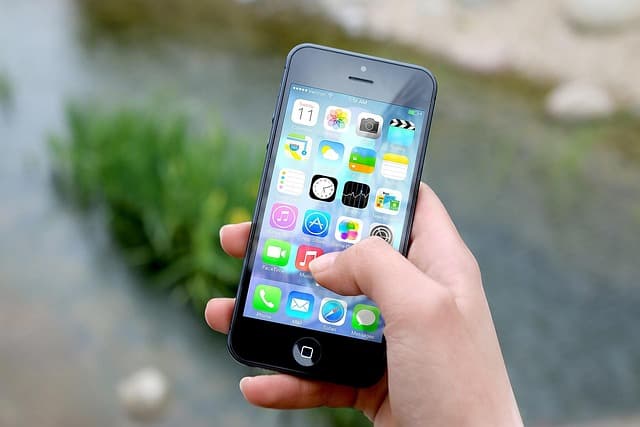
eSIM technology has transformed how iPhone users travel, letting you stay connected without physical SIM swaps or expensive roaming fees. This guide covers everything from setting up an eSIM on your iPhone to selecting the best plan for your destination.
Why Use an eSIM on iPhone for Travel?
Using an eSIM on iPhone offers unmatched convenience and flexibility. You can add a travel data plan without visiting a local store or waiting for delivery.
Additionally, you can keep your primary number active for calls and texts while using the eSIM for data. This dual-SIM setup ensures you never miss important contacts.
eSIM iPhone Compatibility: Which Models Support eSIM?
eSIM support started with iPhone XS, XS Max, and XR. All models since then, including the iPhone 11, 12, 13, 14, 15, and 16 series, feature eSIM functionality.
If you are unsure about your device, check device compatibility to confirm. This step ensures a smooth activation process.
Key Compatible iPhone Models
- iPhone XS, XS Max, and XR (first with eSIM)
- iPhone 11, 11 Pro, and 11 Pro Max
- iPhone 12, 12 Pro, and 12 Pro Max
- iPhone 13, 13 Pro, and 13 Pro Max
- iPhone 14 series (eSIM-only in the US)
- iPhone 15 and iPhone 16 series
How to Set Up an eSIM on iPhone (Step-by-Step)
Once you have purchased an eSIM plan, the setup process is straightforward. Follow these steps for a seamless activation.
- Buy a travel eSIM – Choose a plan from a reliable provider like the ones available on our eSIM plans page.
- Scan the QR code – Go to Settings > Cellular > Add Cellular Plan and scan the QR code emailed to you.
- Enter details manually – If prompted, enter the SM-DP+ address and activation code provided.
- Label your plans – Assign a label like “Business” or “Travel” to individualize your lines.
- Set default line – Choose your home line for iMessage, FaceTime, and default voice, and the travel line for cellular data.
- Complete activation – Follow any additional prompts to finish. For deeper help, see our eSIM installation guide.
Top eSIM Plans for iPhone Travelers in 2026
Choosing the right eSIM plan depends on your destinations, data needs, and budget. Here is a comparison of typical options you will encounter.
| Plan Type | Data Allowance | Validity | Ideal For |
|---|---|---|---|
| Regional eSIM | 1 GB – 10 GB | 7 – 30 days | Multi-country trips |
| Global eSIM | Unlimited or fixed GB | 1 – 30 days | World travelers |
| Country-specific eSIM | 1 GB – 50 GB | 1 – 90 days | Single-country visits |
| Pay-as-you-go | Per MB/GB | Flexible | Light data users |
eSIM vs Local SIM vs Roaming: What’s Best?
When traveling, you have three connectivity options. Here is a side-by-side comparison to help you decide.
| Feature | eSIM | Local SIM | Roaming |
|---|---|---|---|
| Setup effort | Low – instant | High – in-person | None – automatic |
| Cost | Low – competitive | Variable – often cheap | High – premium rates |
| Keeping your number | Yes – dual SIM | No – swap SIM | Yes |
| Coverage flexibility | High – local networks | Limited to country | High – but pricey |
| Convenience | Excellent – buy online | Poor – store visit | Good – but costly |
Understanding iPhone eSIM Coverage and Networks
eSIMs use local mobile networks, so coverage is usually excellent. Providers partner with major carriers in each country to deliver 5G and 4G speeds.
Before purchasing, check the coverage map on the provider’s website. Some destinations may have limited 5G, but 4G LTE is almost always available.
Which Networks Are Used?
Every eSIM provider contracts with domestic carriers. For example, in the United States, they might use AT&T, T-Mobile, or Verizon; in the UK, EE or Vodafone. The actual network appears on your iPhone after activation.
Tips for Optimal Coverage
- Purchase a plan that supports the countries you are visiting.
- Check if the provider lists network partners on their site.
- Download offline maps and important data before you leave.
Airport Connectivity and First Steps on Landing
Most eSIMs activate as soon as you connect to a network in your destination. After landing, power on your iPhone and enable cellular data – the eSIM should identify the local network.
In case of issues, toggle cellular data off and on or restart your phone. A QR code rescan often resolves major hiccups.
Frequently Asked Questions
Can I use an eSIM and physical SIM simultaneously on my iPhone?
Yes, most iPhones support dual SIM with an eSIM and a physical nano-SIM. This lets you keep your home number active while using the eSIM for data on the same device.
Will my iPhone eSIM work automatically upon landing?
In most cases, yes. As soon as your iPhone finds a supported local network, the eSIM activates. If not, ensure that data roaming is enabled on the eSIM line and restart your phone.
How do I remove an eSIM from my iPhone after a trip?
Go to Settings > Cellular, tap the eSIM line, and choose “Remove Cellular Plan.” This does not affect your home plan on the physical SIM or another eSIM.
Are eSIMs on iPhone secure and private?
Yes, eSIMs use the same security standards as physical SIMs. Your travel data plan is protected, and the remote activation method is safe.
Can I switch eSIM data plans while traveling?
Absolutely. You can add multiple eSIMs to your iPhone and switch between them in Settings under Cellular. Simply choose the line you want to use for cellular data, and your phone will use that network.
Get Ready to Travel with the Best eSIM
Ready to enjoy seamless connectivity on your next journey? Browse all eSIM plans and find one that fits your travel needs. Activate before you depart to eliminate airport stress, and stay in touch without worrying about overpriced roaming.
Travel connected
Choose your destination and compare eSIM plans
Get digital delivery, transparent validity, and plan details before you travel.