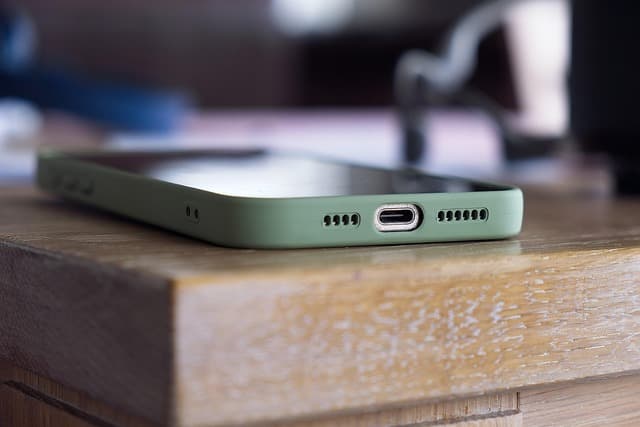
Best eSIM AT&T Travel Guide (2026): Setup, Coverage & Plans
Can you use an AT&T eSIM when traveling abroad? Learn how AT&T eSIM works, its country coverage, setup steps, and how it compares to travel eSIMs in 2026.

If you want to keep your AT&T number active while traveling abroad, you can use an AT&T eSIM on a compatible unlocked phone — but the rest of the world is where AT&T's international data rules get expensive and complicated. For most international travelers, a dedicated travel eSIM is cheaper and more flexible than adding an AT&T international day pass to every trip.
This guide explains exactly how AT&T eSIM works in 2026, what its international roaming actually covers, how to install and activate it, and when a travel-focused eSIM is the smarter choice for your trip.
What Is an AT&T eSIM?
An eSIM (embedded SIM) is a digital SIM chip built into your phone. Instead of inserting a plastic card, you download a carrier profile over the internet and switch it on inside your device settings. AT&T uses eSIM for new line activations, for its prepaid service, and for international add-ons on eligible plans.
Because the eSIM lives inside the phone, it works alongside your physical SIM or another eSIM. That means you can keep your AT&T line active for calls and texts while a second eSIM handles data. If you're new to the technology, our step-by-step eSIM installation guide covers the basics before you travel.
AT&T eSIM vs. Physical SIM
- eSIM: activated remotely, no store visit, and can be added before you fly.
- Physical SIM: requires a SIM card and often a store visit or shipping delay.
- Dual-SIM use: eSIM lets you run a home line and a travel line simultaneously, which is the main reason travelers choose it.
Does AT&T eSIM Work Internationally?
Yes — AT&T eSIM works internationally, but only through AT&T's international roaming agreements or add-on features such as its international day pass. Coverage and data speeds abroad depend on the partner network your phone connects to in each country, and those partner networks are not always the fastest local carrier.
This is the key distinction most travelers miss: an AT&T eSIM is not the same as an international travel eSIM. One keeps your AT&T account running abroad; the other is a separate, often cheaper data plan designed for a specific country or region.
What International Roaming With AT&T Usually Includes
- A limited number of destinations where the day pass applies, typically billed per day of use rather than per trip.
- Usage caps that throttle speeds after a high-speed data allowance is reached.
- Pay-per-use rates in countries outside the covered list, which can climb very quickly.
- Costs that add up fast on multi-country or long trips.
Because pricing changes often, always confirm the current international terms directly with AT&T before you rely on roaming for an entire trip.
How AT&T eSIM Compares to Travel eSIMs Abroad
The table below summarizes the practical differences for an international traveler. It focuses on structure and behavior rather than current prices, since exact rates change frequently.
| Factor | AT&T eSIM (roaming) | Travel eSIM | Local physical SIM |
|---|---|---|---|
| Best for | Short trips where you must keep your AT&T number | Multi-country trips and long stays needing data | Long stays in one country |
| Setup | Add-on in your AT&T account | QR code or app install before departure | Store visit or kiosk after arrival |
| Cost structure | Daily pass or per-MB roaming rates | Fixed data bundles by country or region | Local prepaid plan |
| Coverage | Partner networks in covered countries | Local partner networks in covered countries | One carrier's national network |
| Keeps your home number | Yes | Yes, via dual SIM | No, unless dual SIM used |
| Multi-country flexibility | Depends on covered-country list | Regional plans cover many countries | Not flexible across borders |
How to Set Up an AT&T eSIM Before You Travel
Setup is straightforward, but do it at home on reliable Wi-Fi rather than at the airport gate. You need an unlocked phone that supports eSIM and is compatible with AT&T's network.
- Check compatibility. Confirm your phone supports eSIM and is carrier-unlocked. Use our device compatibility checker if you're unsure.
- Add the eSIM in settings. Open your phone's cellular settings, choose "Add eSIM" or "Add Cellular Plan," then follow AT&T's activation flow.
- Activate the line. Scan the QR code AT&T provides or complete activation through the AT&T app or account page.
- Label your lines. Name them clearly, for example "AT&T Home" and "Travel Data," so you don't mix them up abroad.
- Set your data line. Before departure, decide which line handles mobile data and turn on data roaming only for the line that needs it.
APN Settings and Activation Help
Most eSIMs configure the APN (Access Point Name) automatically. If data doesn't work after activation, check your APN settings and make sure the correct line is selected for mobile data. A phone restart and a manual network selection usually resolve the issue. If problems persist, contact your carrier's support before assuming the eSIM is faulty.
When a Travel eSIM Beats AT&T Roaming
For most international trips, a dedicated travel eSIM is the better value. You buy a fixed data bundle for the country or region you're visiting, activate it on arrival, and avoid daily roaming charges entirely.
- Multi-country itineraries: regional plans keep you connected across borders without re-buying data.
- Longer stays: a larger data bundle is usually far cheaper than paying per day for weeks.
- Keeping your AT&T number: dual SIM lets your AT&T line stay active for calls and texts while the travel eSIM handles data.
- Instant arrival connectivity: install before you fly so you're online the moment you land.
Ready to compare options? You can browse all eSIM plans to find a data bundle that matches your destination and trip length.
Using AT&T eSIM and a Travel eSIM Together
This is the most popular setup for frequent travelers. Your AT&T eSIM stays on for your home number, and a second travel eSIM handles all mobile data. In your phone settings, set the travel eSIM as the primary data line and keep the AT&T line for voice. This avoids roaming data charges while ensuring you never miss an important call or verification code.
Airport Connectivity: What to Expect on Arrival
The first 30 minutes after landing are when connectivity matters most — rideshare apps, maps, hotel confirmations, and messages. If you rely on AT&T roaming, your phone may take time to register on a partner network and could trigger a daily charge immediately.
With a pre-installed travel eSIM, you simply toggle the line on after landing and you're online. No queues, no kiosks, no risk of a roaming charge. Download offline maps as a backup, but a working eSIM makes arrival far smoother.
Who Should Use AT&T eSIM Abroad?
- Good fit: short business trips to covered countries, travelers who must keep their AT&T number reachable at all times, and light data users.
- Less ideal: long vacations, multi-country tours, heavy data users, and anyone traveling outside AT&T's covered destination list.
For example, if your itinerary includes Europe and you're weighing options, browsing an Austria travel guide with destination and eSIM details can show how regional coverage is typically structured before you commit.
Troubleshooting Common eSIM Issues
- No data after activation: confirm the correct line is set for mobile data and that data roaming is enabled for that line only.
- Slow speeds: you may have hit a high-speed data cap; check your plan's allowance.
- No service at all: restart the phone, then select a network manually.
- eSIM won't install: verify your phone is unlocked and connected to stable Wi-Fi, then re-scan the QR code.
Frequently Asked Questions
Can I use an AT&T eSIM when traveling internationally?
Yes, on compatible unlocked phones and eligible plans. AT&T eSIM works abroad through international roaming or an international day pass, but coverage and speeds depend on partner networks in each country, and costs can add up quickly outside covered destinations.
Is an AT&T eSIM the same as an international travel eSIM?
No. An AT&T eSIM keeps your AT&T account running abroad through roaming. A travel eSIM is a separate data plan purchased for a specific country or region, usually with fixed data bundles and lower costs for international use.
How do I install an AT&T eSIM?
Open your phone's cellular settings, choose to add a new eSIM or cellular plan, then follow AT&T's activation steps using the QR code or app. Install it at home on Wi-Fi before you travel, not at the airport.
Can I keep my AT&T number while using a travel eSIM?
Yes. Dual SIM lets your AT&T eSIM stay active for calls and texts while a travel eSIM handles mobile data. Set the travel eSIM as your data line and keep AT&T for voice to avoid roaming data charges.
Does AT&T eSIM work in every country?
No. International coverage depends on AT&T's roaming agreements and the specific countries included in its international features. Always confirm the current covered-country list with AT&T before relying on roaming for a trip.
Is a travel eSIM cheaper than AT&T roaming?
For most international trips, yes. Travel eSIMs use fixed data bundles instead of daily roaming fees, which usually makes them more economical for multi-day, multi-country, or high-data travel. Compare plans for your destination before you fly.
Bottom line: use an AT&T eSIM to keep your home number alive, and add a travel eSIM for affordable data abroad. Browse eSIM plans to find the right fit for your next trip.
Travel connected
Choose your destination and compare eSIM plans
Get digital delivery, transparent validity, and plan details before you travel.