International SIM Card T-Mobile: The Practical Travel Guide
Comparing T-Mobile international roaming with travel eSIMs? See how data, hotspot, activation and cost stack up for Turkey, Japan, Thailand, Spain and Saudi Arabia.
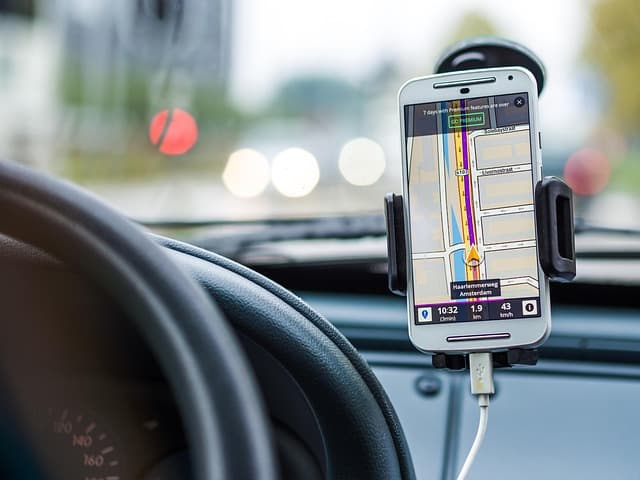
A T-Mobile international SIM card is not a physical product you buy for a trip — it refers to using your existing T-Mobile line abroad through roaming or an international data pass, or to a separate travel eSIM that runs alongside it. For most travellers comparing options in 2024 and 2025, a travel eSIM (including Turkey eSIM, Japan eSIM, Thailand eSIM, Spain eSIM and Saudi Arabia eSIM plans) is usually the simplest way to get local-rate data without touching your primary T-Mobile number.
This guide explains what T-Mobile actually offers abroad, where roaming limits bite, and how to choose between roaming, a local SIM and an eSIM for your next trip.
Key Takeaways
- T-Mobile's international options are account-based, not device-based — they depend on your plan, not on buying a special SIM.
- Roaming is convenient but often throttled or capped; high-speed data abroad frequently requires an add-on pass.
- A travel eSIM is a separate data profile that runs alongside your T-Mobile line, so your home number stays active for calls and texts.
- Dual-SIM behaviour matters: you can keep T-Mobile for voice and use an eSIM for data, provided your phone supports dual eSIM or SIM + eSIM.
- Longer trips and heavy data use usually favour an eSIM or local SIM over per-day roaming passes.
- Check three things before you fly: your phone's eSIM support, your T-Mobile plan's roaming terms, and your destination's network coverage.
What "International SIM Card T-Mobile" Actually Means
T-Mobile does not sell a standalone "international SIM" in the way some MVNOs do. What travellers mean by the phrase is usually one of three things:
- Roaming on your existing T-Mobile plan — your normal SIM connects to partner networks abroad.
- An international data pass or day pass — an add-on that unlocks faster data or more high-speed gigabytes in selected countries.
- A separate travel SIM or eSIM — a different provider's data plan used alongside T-Mobile, so your US number stays live.
That third option is where most comparison shopping happens. A Turkey eSIM or Japan travel eSIM can be installed before departure, activated on landing, and used purely for data — no store visit, no swapping your physical SIM.
T-Mobile Roaming vs Travel eSIM vs Local SIM
The table below compares the three approaches on the factors that actually affect a trip. Exact prices and data allowances change often and vary by plan, so treat the "cost profile" column as a general pattern rather than a quote.
| Factor | T-Mobile roaming / data pass | Travel eSIM | Local physical SIM |
|---|---|---|---|
| Setup effort | None — it just works | Install QR code before or after landing | Visit a shop, show ID, swap SIM |
| Keeps your T-Mobile number active | Yes | Yes, via dual-SIM | Usually no, unless dual-SIM |
| Cost profile | Bundled in some plans; add-ons for high-speed data | Prepaid, data-only, fixed validity | Often cheapest for long stays, but local registration rules apply |
| Speed and throttling | Frequently capped or reduced after a threshold | Depends on the eSIM's partner network | Local network speeds |
| Hotspot / tethering | Varies by plan and destination | Varies by eSIM provider — check before buying | Usually allowed |
| Best for | Short trips, light data use | Multi-country trips, arriving-ready connectivity | Long stays, local number needed |
Coverage: What to Expect in Popular Destinations
Coverage abroad is delivered by partner carriers, not by T-Mobile itself. That means the experience you get depends on which local networks your plan or eSIM is allowed to use.
- Japan: dense 4G and 5G coverage in cities and along major rail corridors. A Japan eSIM that connects to a major national carrier typically performs well; rural mountain areas may drop to weaker signal.
- Turkey: strong coverage in Istanbul, Ankara, Izmir and resort regions. A Turkey eSIM is convenient because you avoid queueing at the airport for a local SIM, and you can activate before landing.
- Thailand: excellent urban coverage in Bangkok, Chiang Mai and Phuket. A Thailand eSIM works well for island hopping where you want data the moment you clear arrivals.
- Spain: reliable nationwide 4G/5G. A Spain eSIM is often chosen by travellers doing multi-city routes who don't want a new contract.
- Saudi Arabia: good coverage in Riyadh, Jeddah and major routes. A Saudi Arabia eSIM can be useful for short business trips, but check whether your chosen plan includes the country.
In every case, verify the eSIM's listed partner networks before buying. A cheap plan that only uses a secondary network can feel very different from one on the leading carrier.
Airport Connectivity: Getting Online on Landing
The most common frustration is landing with no data — no ride-hailing app, no map, no way to message your hotel. There are three ways to avoid it:
- Install and test your eSIM before departure. Most travel eSIMs can be installed at home and simply enabled when you land. If the plan only starts its validity window on first connection, you lose nothing by installing early — but check the provider's activation rules.
- Keep T-Mobile active as a backup. Your T-Mobile line can still receive SMS (including verification codes) while the eSIM handles data, if you set your data line correctly in settings.
- Download offline maps and translation packs. This costs nothing and covers the gap between landing and activation.
Tip: at many airports, free Wi-Fi requires an SMS code. If your T-Mobile line is disabled entirely, you may not receive it — another reason to keep the line active for texts.
How to Activate a Travel eSIM Alongside T-Mobile
Activation steps vary slightly by phone, but the standard flow is consistent:
- Buy the plan and receive a QR code or manual activation details by email.
- Install the eSIM: on iPhone, Settings > Cellular > Add eSIM; on most Android phones, Settings > Network & internet > SIMs > Add eSIM.
- Set your default data line to the eSIM, and keep T-Mobile as the line for calls and SMS.
- Enable data roaming on the eSIM line only — this is normally required for travel eSIMs to connect.
- Configure the APN if the provider specifies one. Most modern eSIMs set it automatically; if data doesn't work, enter the APN manually from your provider's instructions.
- Test on landing by opening a map or browser before you leave the terminal.
Troubleshooting Common Problems
No data after landing
- Confirm the eSIM is selected as the data line, not T-Mobile.
- Turn data roaming on for the eSIM line.
- Toggle airplane mode for 30 seconds to force a fresh network registration.
- Check the APN settings against your provider's documentation.
Data works but calls and texts don't
That's expected with a data-only eSIM. Your calls and SMS are handled by your T-Mobile line, which must remain enabled as the voice line.
Hotspot isn't working
Many prepaid travel eSIMs restrict tethering. Check the plan details before you buy if you rely on a laptop or a second device.
The eSIM won't install
Check your phone is carrier-unlocked and eSIM-capable. A locked handset will refuse to add a non-T-Mobile eSIM profile entirely.
Practical Checklist Before You Fly
- Confirm your phone is carrier-unlocked and supports eSIM (or dual SIM).
- Review your T-Mobile plan's international terms — including any high-speed data cap abroad.
- Decide whether you need hotspot/tethering, and filter eSIM options accordingly.
- Buy and install your eSIM before departure; screenshot the QR code as backup.
- Set the eSIM as your data line and T-Mobile as your voice/SMS line.
- Enable roaming on the eSIM line only.
- Download offline maps, your airline app and a translation app.
- Note your provider's support channel in case activation fails abroad.
Which Should You Choose?
If you're on a short trip with light data needs and your T-Mobile plan already includes international data, roaming may be perfectly adequate. If you're travelling for a week or more, using maps and streaming, or visiting several countries on one trip, a travel eSIM is usually the better balance of cost and control.
A local physical SIM can still win on price for long stays, but you'll trade convenience: shop queues, registration requirements and losing access to your home number unless your phone supports dual SIM.
Ready to compare options for your route? Browse compatible data plans and check activation details for your destination before you book flights.
Frequently Asked Questions
Does T-Mobile sell an international SIM card?
T-Mobile generally provides international connectivity through your existing plan or optional international data passes rather than a separate international SIM product. For a dedicated travel SIM, customers typically use a third-party travel eSIM or a local SIM bought at the destination.
Can I use a travel eSIM and keep my T-Mobile number?
Yes, if your phone supports dual SIM or dual eSIM. You set the travel eSIM as your data line and keep T-Mobile active for calls and SMS. This means you can still receive verification codes and messages from home.
Is an eSIM better than T-Mobile roaming for Japan or Turkey?
It depends on your plan and usage. A Japan eSIM or Turkey eSIM is typically better value for heavy data use, longer trips and multi-country itineraries, while T-Mobile roaming is simpler if your plan already includes international data and you only need light usage.
Why is my eSIM data slow abroad?
Common causes include connecting to a secondary partner network, being throttled after a data threshold, or a network congestion issue in your location. Try manually selecting a different available network in your phone's carrier settings.
Do I need a new eSIM for each country?
Not necessarily. Many providers offer regional plans covering multiple countries, while others sell single-country plans such as a Spain eSIM or Saudi Arabia eSIM. Check the country list carefully — a plan that covers Europe may not cover Turkey.
Can I install an eSIM before I travel?
In most cases yes. You can install the eSIM profile at home and enable it when you arrive. Check whether your provider starts the validity period on purchase or on first network connection, as this affects how early you should install.
Travel connected
Choose your destination and compare eSIM plans
Get digital delivery, transparent validity, and plan details before you travel.