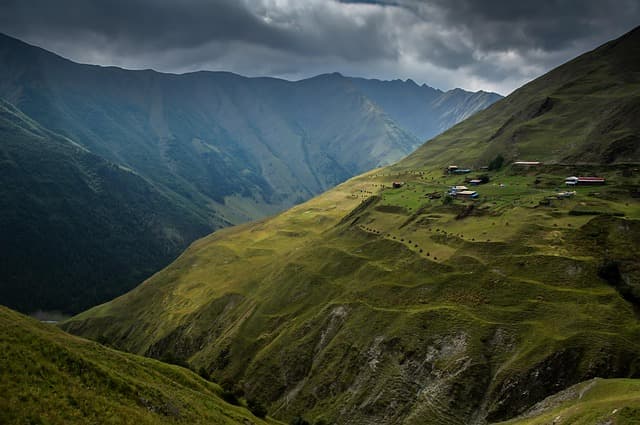
Montenegro eSIM Travel: Stay Connected on the Adriatic
Plan your Montenegro eSIM travel with confidence: coverage, 5G/4G carriers, activation steps, troubleshooting, and eSIM vs local SIM comparisons.

Montenegro eSIM travel means buying a digital data plan before you fly and installing it on your phone, so you get online as soon as you land in Podgorica, Tivat, or Dubrovnik-side border crossings — no plastic SIM shop required. It works on the same local networks your roaming plan would use, but you control the cost and can top up instantly.
This guide covers coverage and carriers, airport connectivity, QR-code activation, APN setup, troubleshooting, and a straight comparison of eSIM versus local SIM versus roaming.
Key Takeaways
- eSIM gives you data on arrival without hunting for a kiosk or swapping your home SIM.
- Montenegro's mobile market is compact, with a handful of national operators sharing 4G and expanding 5G coverage.
- Coastal towns and major roads are usually well covered; remote mountains and deep canyons can be patchy.
- Install and test your eSIM before departure so the QR code and APN are ready on landing.
- Compare plan size to your trip: short city breaks need less data than a multi-week road trip with maps and hotspot use.
Why Use an eSIM for Montenegro?
Montenegro packs mountains, fjord-like bays, and medieval coastal towns into a country you can cross in a day. That variety is exactly why a flexible data plan helps: you might stream maps through Durmitor, check ferry times in Kotor, and post photos from Budva — often in the same afternoon.
- No physical swap: keep your home number active for calls while your eSIM handles data.
- Buy before you fly: install over Wi-Fi at home and activate on landing.
- Instant top-ups: add data from your phone instead of finding a shop.
- Multi-country potential: if your Balkans route crosses borders, a regional or multi-country plan can cover more than Montenegro alone.
If you are still deciding on a provider, browsing Montenegro eSIM plans and data packages lets you compare sizes and durations before you commit.
Network Coverage and Carriers in Montenegro
Montenegro has a small number of licensed mobile network operators, and eSIM providers typically roam onto one or more of them. Which one your phone latches onto depends on your plan's roaming agreements and your location.
What to expect, area by area
- Coastal belt (Herceg Novi, Kotor, Budva, Bar, Ulcinj): typically the strongest 4G coverage, with 5G appearing in busier areas depending on the operator.
- Podgorica and the central valley: generally solid urban coverage, including around the airport and main highways.
- Mountain regions (Durmitor, Prokletije, Tara Canyon): coverage exists in towns and along key routes but can drop in valleys, gorges, and high trails.
- Lake Skadar and border zones: coverage is usually fine near settlements but can weaken in remote shoreline areas or near some borders.
Practical tip: 5G availability in Montenegro is still developing, and speeds depend on your device bands, the operator, and local load. Treat 4G as your reliable baseline and 5G as a bonus where available.
Getting Online at the Airport
Montenegro's two main gateways are Podgorica Airport (TGD) and Tivat Airport (TIV), with good road links to the coast. If your eSIM is installed and activated, you can be online before you reach baggage claim.
- Before landing: toggle off mobile data on your home line and enable data roaming for your eSIM line (eSIM roaming is normal and expected).
- On landing: turn off airplane mode and let the phone register on a local network.
- Check the status bar: you want the carrier name plus a 4G/LTE or 5G indicator.
- If nothing happens, select a network manually in your settings rather than waiting on automatic selection.
Airport Wi-Fi is useful as a backup, but it is not a substitute for a data plan if you need maps, ride-hailing, or messaging the moment you step outside.
Activation: QR Code and APN Setup
Installing the eSIM
- Buy your plan and receive a QR code (usually by email or in an app).
- On iPhone: Settings → Cellular → Add eSIM. On Android: Settings → Network & internet → SIMs → Add eSIM.
- Scan the QR code with a second device or from a printed/saved copy — you cannot scan it from the same screen you are installing on.
- Label the line clearly, for example "Montenegro data".
- Set it as the line for mobile data and keep your primary line for calls and SMS.
APN configuration
Most eSIM plans configure the APN automatically. If data does not work, set it manually:
- Name: anything descriptive, e.g. "Travel Data".
- APN: the exact value supplied by your eSIM provider.
- Username/Password: usually blank unless your provider specifies otherwise.
Never guess an APN. Use the value in your provider's activation email or app — an incorrect APN is one of the most common reasons a new eSIM appears connected but loads nothing.
eSIM vs Local SIM vs Roaming in Montenegro
| Factor | eSIM (travel plan) | Local physical SIM | Home-carrier roaming |
|---|---|---|---|
| Setup time | Minutes, before departure | Requires a shop visit, ID, and queue | None — works automatically |
| Arrival convenience | Online immediately after activation | Online only after purchase | Online immediately |
| Cost control | Prepaid, fixed allowance | Prepaid, local rates | Often the most expensive per GB |
| Keep home number | Yes, dual-SIM | Usually no, unless dual-SIM | Yes |
| Best for | Short trips, multi-country routes | Long stays, heavy local use | Very short trips, light data |
| Main drawback | Needs a compatible, unlocked phone | Lines, paperwork, shop hours | Bill shock and throttling |
For most travellers doing a week or two, an eSIM balances convenience and predictable cost. A local SIM can be cheaper for very long stays, and roaming makes sense only if your plan already includes the region.
Do You Also Need an eSIM for Turkey or Germany?
Balkans itineraries and European stopovers often mix countries. If your route continues east, an eSIM for Turkey keeps you connected across the border without buying a second physical SIM. Search interest for esim turkey, turkey esim, and esim for turkey is driven by exactly this kind of multi-country routing.
German-speaking travellers comparing options at home often search in German for esim kaufen, e sim kaufen, esim karte kaufen, e-sim kaufen, esim online kaufen, esim bestellen, esim deutschland, and esim karte. The same practical advice applies in any language: check your phone supports eSIM, confirm it is carrier-unlocked, and install the profile before you travel. Browse the full eSIM destinations list to see which countries and regions your plan should cover.
Practical Checklist
- Confirm your phone is eSIM-capable and carrier-unlocked.
- Check how many eSIM profiles your device can store and use at once.
- Buy your Montenegro eSIM data plan before departure and save the QR code offline.
- Install the eSIM at home over Wi-Fi, then leave it switched off until you land.
- Write down or screenshot the APN settings from your provider.
- Set your primary line to calls/SMS and the eSIM to mobile data.
- Enable data roaming on the eSIM line only.
- Download offline maps for Kotor, Durmitor, and Lake Skadar as backup.
- Note your home carrier's roaming charges so you can compare fairly.
- Save your provider's support link for quick troubleshooting abroad.
Troubleshooting Common eSIM Issues
No data after landing
- Turn airplane mode on for 15 seconds, then off.
- Manually select a network instead of relying on automatic selection.
- Verify mobile data is assigned to the eSIM line, not your primary line.
- Confirm data roaming is enabled for the eSIM.
Connected but nothing loads
- Re-enter the APN exactly as supplied.
- Restart the phone after any APN change.
- Check whether you have hit your plan's data limit and need a top-up.
Slow speeds in mountain areas
This is usually a coverage reality rather than a fault. Move to open ground, switch between available networks, or rely on offline maps until you reach a town.
Frequently Asked Questions
Does an eSIM work in Montenegro?
Yes. Montenegro has established mobile networks, and travel eSIMs connect by roaming onto a local operator. You need an eSIM-compatible, carrier-unlocked phone and a plan that includes Montenegro.
Is 5G available in Montenegro for tourists?
5G is being rolled out, mainly in busier urban and coastal areas, but it is not universal. Expect reliable 4G/LTE across most towns and main routes, with 5G as an occasional upgrade.
How do I activate a Montenegro eSIM?
Buy the plan, scan the QR code in your phone's eSIM settings, label the line, set it for mobile data, and enable data roaming on that line. Installation can be done at home; the plan activates when it connects in-country, depending on your provider's terms.
Is an eSIM better than a local SIM in Montenegro?
For short trips and multi-country routes, an eSIM is usually more convenient because you avoid shop queues and paperwork. A local physical SIM can be more economical for long stays with heavy data use.
Can I keep my home number while using a Montenegro eSIM?
Yes, if your phone supports dual-SIM standby. Use your home line for calls and texts and the eSIM for data, and disable data roaming on your home line to avoid unexpected charges.
What should I do if my eSIM shows no service?
Toggle airplane mode, select a network manually, confirm data is assigned to the eSIM, check the APN, and restart the device. If it still fails, contact your eSIM provider's support with your order details.
Final Thoughts
Montenegro is easy to travel with a little preparation. Install your eSIM before you fly, confirm your APN, and you will land connected in Podgorica or Tivat ready to navigate the coast and mountains. Compare your options on the eSIMFlux Montenegro plan page and pick the data size that matches your itinerary.
Travel connected
Choose your destination and compare eSIM plans
Get digital delivery, transparent validity, and plan details before you travel.