What Is eSIM on iPhone? Travel Guide, Setup & Plans (2026)
Wondering qué es eSIM en iPhone? Learn how Apple's digital SIM works for travel, which models support it, how to install and activate a data plan, and how it compares to local SIMs and roaming.
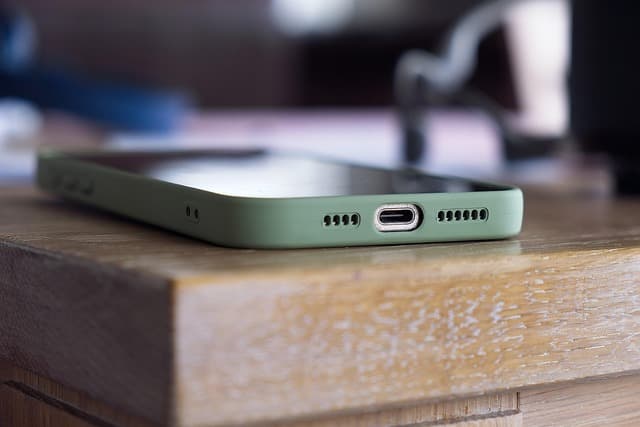
An eSIM on iPhone is a built-in digital SIM that lets you activate a cellular data plan without inserting a physical card. Apple began adding eSIM support with the iPhone XS, XS Max, and XR in 2018, and most newer models support multiple eSIMs at once. For travelers, this means you can buy an affordable data plan for your destination online, install it via a QR code or carrier app, and get online shortly after landing — often before you even leave the plane.
Well over a billion travelers cross international borders every year, according to UN Tourism, and connectivity on arrival remains one of the biggest friction points. This guide explains exactly how the eSIM in your iPhone works, how to set it up step by step, what to check before you fly, and how eSIM stacks up against a local physical SIM or roaming.
What Exactly Is an eSIM on iPhone?
SIM stands for Subscriber Identity Module. A traditional SIM is a small plastic chip that you insert into a tray on the side of your phone. An eSIM (embedded SIM) is a soldered-in chip that performs the same job — identifying you to a mobile network — but it is activated by downloading a digital profile instead of swapping plastic.
Apple first introduced eSIM in the iPhone XS, XR, and XS Max, and expanded it steadily. Starting with the iPhone 14 (US models), Apple removed the physical SIM tray entirely, so those phones rely exclusively on eSIM. In most other regions, newer iPhones support one physical SIM plus multiple eSIMs at the same time.
eSIM vs. physical SIM: the core differences
- Form: A physical SIM is a removable card; an eSIM is a chip built into the phone.
- Activation: Physical SIMs are inserted by hand; eSIMs are activated by scanning a QR code or using a carrier app.
- Multiple plans: One iPhone can hold several eSIM profiles, but only a limited number can be active at once.
- Reusability: You can remove or reinstall eSIM profiles in settings, though most travel plans are single-use.
How Does eSIM Work on an iPhone?
When you buy an eSIM plan, the carrier sends you a digital profile packaged as a QR code or an activation code. Your iPhone downloads that profile and stores it securely, similar to how it stores a fingerprint or payment card.
Once installed, the eSIM behaves like any other line. You can choose which line handles calls, which handles data, and which is used for your primary number back home. iPhone settings even let you assign labels like "Personal," "Work," or "Travel" so you always know which line is which.
Dual SIM and dual standby explained
Most eSIM-capable iPhones support Dual SIM with Dual Standby. In plain terms, you can have two lines active at once — for example, your home SIM for calls and texts, and a travel eSIM for data. The phone can receive calls on both lines, but only one line uses data at a time (you choose which).
This is especially useful if you want to keep your home number reachable for important calls or bank verification codes while using a cheap local data plan abroad.
Which iPhone Models Support eSIM?
If you are unsure whether your phone qualifies, check Apple's official specifications or your carrier's compatibility list. As a rule of thumb, any iPhone from 2018 onward supports eSIM, with some regional variations.
| iPhone model | eSIM support | Physical SIM tray |
|---|---|---|
| iPhone XS / XS Max / XR (2018) | Yes | Yes |
| iPhone 11 series | Yes | Yes |
| iPhone 12 series | Yes | Yes |
| iPhone 13 series | Yes | Yes |
| iPhone 14 series (US models) | Yes | No (eSIM only) |
| iPhone 15 series (US models) | Yes | No (eSIM only) |
| iPhone 16 series (US models) | Yes | No (eSIM only) |
Note that iPhone models sold in mainland China often do not support eSIM, while US models from the iPhone 14 onward are eSIM-only. Always verify your exact model number before purchasing a plan. You can confirm compatibility on the device compatibility page.
How to Set Up an eSIM on iPhone: Step by Step
Installation typically takes a few minutes and can usually be done over Wi-Fi before you travel. Here is the standard process.
- Buy your plan from an eSIM provider and choose the correct destination or region.
- Check your iPhone settings: go to Settings > General > About and confirm there is an EID (this is your eSIM identity).
- Scan the QR code your provider sends you, or use their app to install the profile.
- Label the line (for example, "Travel") when prompted.
- Choose default lines for calls, messages, and mobile data.
- Enable data roaming on the travel eSIM line if required by the provider.
- Test on arrival by opening a browser or map app.
If you prefer a visual walkthrough, eSIMFlux has a detailed how to install an eSIM guide covering both QR scanning and manual entry.
Activation before you fly vs. on arrival
Most travel eSIMs start counting their validity period when they first connect to a network, not when you install them. That means you can safely install the profile at home and let it activate when you land. A few plans activate on installation, so read the provider's terms carefully.
Installing before departure is smart: you avoid hunting for airport Wi-Fi and can connect the moment you touch down.
Airport Connectivity: Getting Online as Soon as You Land
One of the biggest advantages of eSIM for travelers is arrival connectivity. Instead of queuing at a SIM kiosk, you simply toggle your travel line on and go.
- Before boarding: install your eSIM and confirm it shows as a line in Settings.
- On landing: turn off Airplane Mode and enable your travel line.
- First check: open a maps app or browser to confirm data is flowing.
- Fallback: if data doesn't connect, restart the phone or reselect the network manually.
As a backup, airport Wi-Fi can help you download your ride-hailing app or message your accommodation while your data activates.
Coverage, Carriers, and Speeds
An eSIM itself has no coverage — the coverage comes from the local network it connects to. When you buy a travel eSIM, the provider has agreements with one or more carriers in each destination. Your phone will pick up whatever network is available based on those agreements.
Most established eSIM providers offer 4G LTE as standard and 5G in many urban areas where the local carrier supports it. Rural and remote regions often fall back to 3G or lower, depending on the country's infrastructure.
How to check coverage before you buy
- Visit the provider's destination page and look for the carrier list.
- Cross-check the carrier's own coverage map for the areas you will visit.
- Read recent traveler reviews for the specific region — not just the country.
If you're heading to Spain, for example, you can check regional notes in the Spain travel guide and destinations section.
eSIM vs. Local SIM vs. Roaming: Which Is Best for Travel?
Each option has trade-offs. The right choice depends on trip length, how much data you need, and whether you want to keep your home number active.
| Option | Setup effort | Cost profile | Best for |
|---|---|---|---|
| Travel eSIM | Very low — install before you fly | Varies by plan; often mid-range | Short trips, multi-country travel, keeping home SIM active |
| Local physical SIM | Medium — find a shop, show ID | Often cheaper per GB locally | Long stays, heavy data use, local number needed |
| Home carrier roaming | None — works on arrival | Typically the most expensive | Very short trips, emergencies, minimal data |
Note that exact prices change frequently and depend on your home carrier and destination. Compare current options rather than relying on outdated figures.
When eSIM is the clear winner
- You're visiting multiple countries on one trip and want one plan.
- You want to keep your home number active for calls and texts.
- You prefer to sort out connectivity before you leave home.
- You don't want to remove your physical SIM or risk losing it.
Common eSIM Problems on iPhone and How to Fix Them
Most eSIM issues are quick to resolve. Here are the usual suspects.
The eSIM won't install
Check that you have a stable Wi-Fi connection, that your iPhone is carrier-unlocked, and that the QR code hasn't expired. Some providers require the latest iOS version.
No data after arrival
Confirm the travel line is enabled, that data roaming is switched on for that line, and that your iPhone's default data line is set to the eSIM. A restart often fixes it.
APN settings needed
A few providers require manual APN (Access Point Name) entry. The provider usually supplies these settings — enter them under Settings > Cellular > Cellular Data Network.
Phone says "No SIM" or "SIM not supported"
This usually means the phone is locked to a carrier. Contact your carrier to unlock it, or check whether your model supports eSIM in your region.
How to Choose the Right eSIM Plan
Focus on four things: coverage in your destinations, data allowance, validity period, and whether the plan is data-only or includes calls.
- Coverage: match the plan to every country on your itinerary.
- Data allowance: estimate your daily usage — maps, messaging, and social media add up.
- Validity: pick a plan that covers your full trip, including travel days.
- Type: data-only plans are usually cheapest; voice plans cost more.
You can compare options in the full catalogue of eSIM plans for travelers and filter by destination and duration.
Frequently Asked Questions
Qué es eSIM en iPhone in simple terms?
It's a digital SIM built into your iPhone that lets you activate a cellular plan without a physical card. You install it by scanning a QR code or using a carrier app, and it works alongside your regular SIM.
Does my iPhone support eSIM?
Most iPhones from 2018 onward support eSIM, including the XS, XR, 11, 12, 13, 14, 15, and 16 series. US models from the iPhone 14 onward are eSIM-only, while some models sold in mainland China do not support eSIM at all.
Can I use eSIM and my physical SIM at the same time?
Yes. Dual SIM with Dual Standby lets you keep your home SIM active for calls and texts while using a travel eSIM for data. You choose which line handles data in Settings.
How long does it take to install an eSIM on iPhone?
Generally a few minutes. If you have stable Wi-Fi and a valid QR code, the profile usually installs quickly and is ready to activate when you reach your destination.
Will my eSIM work as soon as I land?
In most cases, yes — provided the plan has activated and you enable data roaming on the travel line. Some plans only activate when they first connect to a network, so check your provider's terms.
Is eSIM more expensive than a local SIM?
Not necessarily. A local physical SIM is often cheaper per gigabyte for long stays, while a travel eSIM offers more convenience and multi-country coverage. Roaming on your home carrier is usually the most expensive option.
Travel connected
Choose your destination and compare eSIM plans
Get digital delivery, transparent validity, and plan details before you travel.