Travel eSIM: The Practical Guide to Staying Connected Abroad
Compare travel eSIM plans, check carrier coverage, activate in minutes, and learn when an eSIM beats a local SIM or roaming — a clear guide for international travelers.
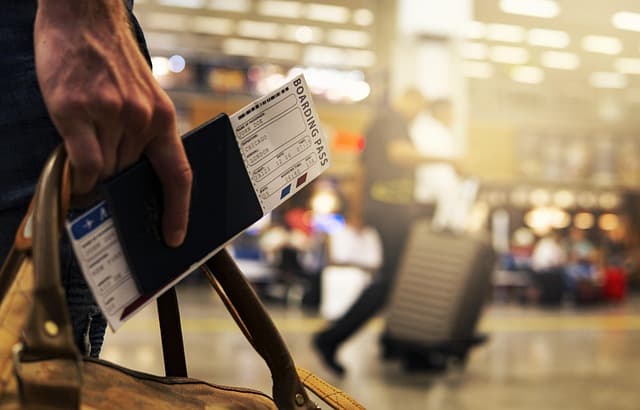
A travel eSIM is a digital SIM profile you install on a compatible phone so you can get mobile data abroad without buying or swapping a plastic SIM card. You download it before you fly, then activate it on arrival. Most travelers choose an eSIM for convenience, fast setup, and the ability to keep their home number active for calls and texts while using data locally.
This guide explains how eSIMs work, how coverage and carriers differ by destination, what to check before you buy, and when a local SIM or roaming is still the smarter choice.
Key Takeaways
- A travel eSIM is a downloadable data plan — no store visit and no physical card required.
- Coverage depends on the local partner networks behind each plan, so check the carrier list for your destination.
- Install and test the eSIM on Wi-Fi at home before departure to avoid airport friction.
- eSIMs typically win on convenience; local SIMs can win on price for very long stays.
- Keep your home SIM active for calls and texts, and route data to the eSIM.
What Is an eSIM and How Does It Work?
An eSIM (embedded SIM) is a small chip soldered into your phone that stores carrier profiles digitally. Instead of inserting a SIM card, you scan a QR code or use your carrier's app to download a profile. Once installed, it behaves like a normal SIM for data.
Most modern smartphones support eSIM, but support varies by model and region. Before buying, confirm your exact phone model supports eSIM, that it is carrier-unlocked, and that it has an available eSIM slot alongside your physical SIM.
eSIM vs. Physical SIM: the core difference
A physical SIM lives in one device and must be moved or replaced. An eSIM is a profile you can install, switch off, or delete. That makes it ideal for travelers who want a second line for data without losing access to their home number for bank codes, work calls, and two-factor authentication.
Travel eSIM vs. Local SIM vs. Roaming
Each option has trade-offs. The right choice depends on trip length, data needs, and how much you value convenience.
| Option | Setup | Best for | Considerations |
|---|---|---|---|
| Travel eSIM | Buy online, install via QR code or app | Short and mid-length trips, multi-country travel | Requires an eSIM-capable, unlocked phone; data-only plans usually have no local number |
| Local SIM | Buy in person at a shop or airport | Long stays, heavy data use, local calls | Store queues, ID requirements in some countries, need to keep or store your home SIM |
| Home roaming | Automatic with your home carrier | Very short trips or emergencies | Often the most expensive per gigabyte; may be throttled or limited |
For most one-to-three-week trips, a travel eSIM is the easiest path: you land connected. For months-long stays, a local SIM with a local number may still pay off.
Coverage and Carriers: What to Check Before You Buy
No eSIM provider owns its own towers everywhere. Most travel eSIMs roam on partner networks in each country. That means two plans for the same destination can perform very differently depending on which local carriers they connect to.
- Check the partner carrier list for your destination and compare it with the major national networks.
- Confirm 4G/5G access — some plans are data-only on LTE, and 5G availability varies by network and device.
- Look at regional coverage if you cross borders, e.g., a Europe-wide plan versus separate country plans.
- Read the fine print on tethering (hotspot) and speed throttling after a data allowance is used.
Popular destinations travelers ask about include the UK, Turkey, the USA, the UAE, Egypt, and Morocco. In each case, the same rule applies: match the plan's partner networks to the networks with the best coverage where you'll actually spend time. You can compare options on the eSIM destinations page.
Airport Connectivity Upon Landing
The biggest practical advantage of a travel eSIM is that you're online the moment you land — before you queue for a taxi, check a translation, or message your accommodation. Airport Wi-Fi is often slow, time-limited, or requires a login you can't complete without mobile data.
To make arrival seamless:
- Install the eSIM at home and label it clearly (e.g., "Travel Data").
- Leave it switched off until you land, then turn it on and enable data roaming for that line.
- Set the eSIM as your mobile data line so you don't burn home-carrier roaming charges.
- Keep your home SIM on for calls and texts, with data roaming for that line switched off.
How to Install and Activate a Travel eSIM
Activation is usually three steps: buy, install, and switch on at your destination. Exact menus differ by phone, but the flow is consistent.
- Buy the plan and choose the data package that fits your trip.
- Install the profile by scanning the QR code from a carrier or provider with your phone's camera, or by entering the activation details manually.
- Name the line (e.g., "Trip Data") so you can identify it later.
- Configure APN settings if needed — the plan details should list them.
- Activate at arrival by switching the eSIM on and enabling data roaming on that line.
- Test it with a quick speed test or by loading a map.
Step-by-step walkthroughs for common phones are available in the eSIM installation guide.
Troubleshooting Common eSIM Problems
Most issues are configuration problems, not coverage problems. Work through these in order:
- No data after landing: confirm the eSIM is on, data roaming is enabled for that line, and the eSIM is set as the data line.
- Connected but no internet: check APN details against the plan instructions, then toggle airplane mode.
- Home carrier charges: switch off data roaming for your home SIM; keep voice/SMS as preferred.
- QR code won't scan: enter the activation details manually or re-download the profile from your provider account.
- Slow speeds: data may be throttled after an allowance cap, or you may be attached to a weaker partner network — try manual network selection.
Tip: don't delete an eSIM profile unless you're sure you won't need it again — many profiles cannot be reinstalled after removal.
Choosing the Best eSIM for Your Trip
Define your trip before comparing plans. A city break needs less data than a road trip with navigation and tethering. Ask:
- How long am I traveling? Short trips favor fixed plans; long trips favor plans with generous or unlimited data.
- How many countries? A regional plan is often simpler than buying multiple country profiles.
- Will I tether? Check hotspot rules if you plan to share data with a laptop.
- Do I need a local number? Most travel eSIMs are data-only; use your home number for calls over Wi-Fi or messaging apps.
For US trips specifically, compare carrier coverage carefully before buying — see United States eSIM plans for destination-specific options. To compare packages across regions, browse all eSIM plans.
Practical Checklist Before You Buy
- Confirm your phone supports eSIM and is carrier-unlocked.
- Check the plan's partner networks for your destination and any countries you'll transit through.
- Match the data allowance to trip length and daily usage.
- Verify hotspot/tethering rules if you need to share data.
- Install the eSIM before departure and test it on Wi-Fi.
- Note the APN settings and save your provider's support contact.
- Switch off data roaming on your home SIM to avoid unexpected charges.
- Keep a screenshot of your QR code or activation details as backup.
Ready to compare? Find a plan that fits your destination and data needs, then install it before you fly.
Frequently Asked Questions
What is a travel eSIM?
A travel eSIM is a digital SIM profile you install on an eSIM-compatible phone to get mobile data abroad. You buy it online, install it before or after arrival, and activate it without visiting a store or swapping a physical card.
Is a travel eSIM better than a local SIM?
It depends on the trip. An eSIM is usually more convenient and lets you keep your home number active, while a local SIM may offer better value for long stays or heavy data use and typically includes a local phone number.
Can I use a travel eSIM and my regular SIM at the same time?
Yes, on phones with dual SIM support (one physical SIM plus one eSIM, or two eSIMs). Set the travel eSIM as your data line and your home SIM for voice and SMS, and disable data roaming on the home line.
Does a travel eSIM work for calls and texts?
Most travel eSIMs are data-only, so voice calls go through apps like WhatsApp or your home number. Some plans include a local number with voice and SMS — check the plan details before buying.
When should I install my travel eSIM?
Install it before departure while you have reliable Wi-Fi, then switch it on when you land. Installing early lets you troubleshoot any activation issues at home rather than at the airport.
Why is my travel eSIM not connecting after landing?
Check that the eSIM is enabled, data roaming is switched on for that line, the eSIM is selected as the data line, and APN settings match the plan instructions. Toggling airplane mode usually refreshes the network connection.
Travel connected
Choose your destination and compare eSIM plans
Get digital delivery, transparent validity, and plan details before you travel.