eSIM Travel Guide: Compare Plans, Coverage & Activation
A practical eSIM travel guide for international travelers: how eSIM works, coverage and carriers, activation steps, troubleshooting, and how it compares to local SIMs and roaming.

Key Takeaways
- An eSIM is a digital SIM profile you install by QR code or app, so you can get mobile data abroad without visiting a store or swapping a plastic card.
- Coverage depends on the local partner networks a provider buys access from, not on the eSIM format itself. Check the partner carrier list for each country before you buy.
- Most travelers keep their home SIM active for calls and texts while routing mobile data through the eSIM plan.
- Cost and convenience vary by trip: a travel eSIM is usually the fastest option on arrival, a local SIM can suit long stays, and roaming is simplest but often the most expensive.
- Install before you fly on reliable Wi-Fi, then enable data roaming on the eSIM line only when you land.
eSIM travel means using a digital SIM profile instead of a physical card to get mobile data in another country. You install the profile once, and when you arrive your phone connects to a local partner network, typically without a store visit or a queue at the airport. The practical payoff is simple: data that works within minutes of landing, on the phone you already own.
This guide explains what an eSIM is, how coverage and carriers work, how to install and activate a plan, what to do when something goes wrong, and how travel eSIMs compare with local SIM cards and home-network roaming. Where you need to check specific plan details, use the provider's own coverage page rather than relying on general advice.
What Is an eSIM and Why Travelers Use It
An eSIM is an embedded SIM chip soldered into your phone. Instead of inserting a card, you download a small profile that tells the device which network to use. That profile can be a travel data plan, a local carrier plan, or your regular home line.
The traveler-friendly part is flexibility. A phone can typically store several eSIM profiles and keep one physical SIM active at the same time, so you can run a home number for calls alongside a data plan for maps, messaging and bookings.
If the concept is new to you, start with a plain-language explainer on how eSIMFlux works before comparing plans.
eSIM vs physical SIM at a glance
| Feature | eSIM | Physical SIM |
|---|---|---|
| Getting started | Install digitally by QR code or app | Insert or swap a card |
| Time to connect abroad | Usually minutes after landing | Depends on finding a shop or kiosk |
| Keeping your home number | Often possible alongside the eSIM | Requires a second slot or removing the card |
| Reuse across trips | Add or delete profiles as needed | Buy a new card per destination |
| Device requirement | Must be eSIM-capable and carrier-unlocked | Works on most unlocked phones |
Coverage and Carriers: What Actually Determines Your Signal
Travel eSIM brands do not own towers. They buy wholesale access to local mobile networks, so your experience depends on which partner carriers the provider uses in each country. Two providers can sell the same country plan and deliver noticeably different speeds, depending on the networks behind them.
Before buying, check three things on the provider's coverage page:
- Partner networks by country, ideally named carriers rather than vague "top networks" wording.
- Network generation (5G, 4G/LTE, or 3G fallback) and whether it is guaranteed or best-effort.
- Coverage footprint, since rural and island regions often rely on a different carrier than major cities.
Popular brands such as Airallo-style travel eSIM plans and comparable providers compete mostly on price, data bundles and app experience, while coverage is largely inherited from the same underlying carriers. That is why reading the carrier list matters more than reading marketing copy.
Regional examples to verify, not assume
Coverage questions come up constantly for specific destinations. For the United States, travelers often search for how an eSIM USA plan behaves across multiple states, because a single national plan may roam between several carriers. In Thailand, people compare island and city coverage, which is why queries like Saily eSIM Thailand appear so often. In both cases, confirm the named partner network for the specific regions you plan to visit.
Our eSIM destination guides break coverage down country by country so you can compare before committing.
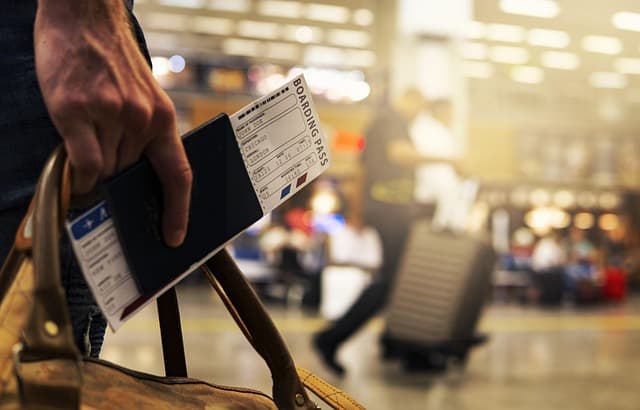
Airport Connectivity: What to Expect When You Land
Airport arrivals halls are where eSIM travel either feels seamless or frustrating. The difference is almost always preparation, not technology.
If you installed and configured the plan before departure, your phone usually attaches to a local network shortly after you disable airplane mode. If you did not, you may find yourself relying on airport Wi-Fi, which is often slow, time-limited, or requires a phone number you cannot receive SMS on.
Practical rule: never plan to buy and install your only data connection while standing in an arrivals hall. Download the plan at home, and treat airport Wi-Fi as a bonus rather than a backup.
How to Install and Activate an eSIM Step by Step
Exact menus differ between iPhone and Android, but the sequence is consistent. Our eSIM installation guide walks through device-specific screens.
- Check compatibility. Confirm your phone supports eSIM and is carrier-unlocked. On iPhone, look under Settings, then Cellular or Mobile Data, for an Add eSIM option.
- Buy the plan for your destination and data needs, and choose a validity period that covers your trip.
- Install over Wi-Fi before you travel by scanning the QR code or adding the profile through the provider's app.
- Label the line (for example "Travel data") so you can tell it apart from your home line.
- Set your defaults. Keep your home SIM for calls and texts, and select the eSIM for mobile data.
- Activate on arrival by enabling the eSIM line and turning on data roaming for that line only.
- Test immediately. Open a map or load a web page before leaving the airport.
On iPhone, the profile appears under your cellular settings, and you can switch which line handles data at any time. This is the workflow most people mean by eSIM iPhone setup, and it takes only a couple of minutes once the profile is downloaded.
APN and Troubleshooting: When Data Will Not Connect
Most activation problems come down to a handful of settings. Work through these in order.
- Data roaming is off. Travel eSIMs often require roaming enabled on the eSIM line because you are connecting to a partner network.
- The wrong line is set for data. Recheck which SIM is selected for mobile data.
- APN mismatch. Some providers require a specific APN name. Enter it manually under the eSIM's network settings if the automatic value fails.
- No manual network selection. Try selecting a network manually instead of leaving it on automatic.
- Profile not fully installed. Delete and reinstall the eSIM if it never registered.
- Device still locked. A carrier-locked phone will not accept a third-party profile.
If nothing works, contact the provider's support with your order number, device model, and the exact error message. Support quality is one of the most meaningful differences between providers, and it is worth checking before you buy rather than after.
eSIM vs Local SIM vs Roaming: Which Fits Your Trip
There is no single winner. The right choice depends on trip length, how much data you need, and whether you must stay reachable on your home number.
| Option | Best for | Main advantage | Main trade-off |
|---|---|---|---|
| Travel eSIM | Short trips, multi-country travel, arrivals | Instant setup, keep home number active | Data-only on many plans; per-GB value varies |
| Local SIM | Long stays, heavy data use | Often strong local value and a local number | Store visit, ID checks, new number to share |
| Home roaming | Very short trips, minimal data | Nothing to install or change | Usually the most expensive per GB |
Many travelers use a hybrid: a travel eSIM for data from day one, plus a local SIM later if the stay is long enough to justify it. If you are weighing specific bundles, browse all eSIM plans to compare validity periods and data allowances side by side.
Practical Checklist Before You Fly
- Confirm your phone is eSIM-capable and carrier-unlocked.
- Check the provider's named partner networks for every country on your route.
- Choose a data allowance and validity period that match your trip length.
- Install the eSIM profile over trusted Wi-Fi at home, before departure.
- Label the eSIM line and set it as the default for mobile data.
- Screenshot or save your QR code and activation details offline.
- Note the provider's support channel and your order number.
- On arrival, enable the eSIM line, turn on data roaming for that line, and test a map or browser.
Ready to compare options? View compatible eSIM data plans and pick the one that matches your destination and trip length.
Frequently Asked Questions
What is an eSIM and how does it work when traveling?
An eSIM is a digital SIM profile stored on a chip inside your phone. When you travel, the profile connects your device to a local partner network so you get mobile data without inserting a physical card. You install it before departure and activate it when you arrive.
Do I need an unlocked phone to use eSIM travel plans?
Yes. Your device must be eSIM-capable and carrier-unlocked. A phone locked to a specific carrier generally will not accept a third-party travel profile, regardless of the app you use.
How do I activate an eSIM on an iPhone?
Install the profile over Wi-Fi, then open Settings, go to Cellular or Mobile Data, and select the new line. Choose it for mobile data, leave your home line active for calls and texts, and enable data roaming on the eSIM line when you land.
Which carriers do travel eSIMs use?
Providers do not own towers; they buy access to local networks. The specific carriers vary by country and provider, so check the named partner networks on the coverage page for your destination rather than assuming one network everywhere.
Is an eSIM cheaper than roaming or a local SIM?
It depends on usage. Travel eSIMs usually beat home roaming on cost for anything beyond light use, while a local SIM can offer better long-stay value. Compare data allowances, validity periods, and whether you need a local phone number.
Is there a free eSIM trial for travelers?
Some providers offer limited trial or promotional plans, but terms change frequently. Treat any trial as a temporary way to test the app and coverage, and always have a paid plan or offline maps ready as a backup.
Travel connected
Choose your destination and compare eSIM plans
Get digital delivery, transparent validity, and plan details before you travel.