Roamless eSIM: A Practical Travel Guide for Connected Trips
Roamless eSIM explained for travelers: how it works, coverage basics, activation, troubleshooting, and how it compares with Airalo, Holafly, Nomad, and local SIMs.

Roamless eSIM is a travel connectivity option that lets you install a data plan digitally on a compatible phone instead of buying a physical SIM card. It is typically used by international travelers who want mobile data on arrival without hunting for a local SIM shop. This guide explains what to expect, how activation works, and how to choose between Roamless and alternatives such as Airalo eSIM, Holafly eSIM, Nomad eSIM, and Saily eSIM.
Key Takeaways
- Roamless eSIM follows the standard eSIM model: a digital profile installed via QR code or app, with data billed through a travel plan rather than a home carrier.
- Device compatibility matters more than brand: unlocked eSIM-capable phones from Apple, Samsung, Google, and others are the baseline requirement.
- Coverage depends on local partner networks, not on the eSIM brand itself, so always check the destination list before buying.
- Activation is usually self-service: install before departure, then enable the line and data roaming when you land.
- Compare total trip cost, not headline gigabytes. A cheaper plan with poor local coverage is rarely a bargain.
What Is Roamless eSIM and Who Is It For?
An eSIM (embedded SIM) is a reprogrammable chip soldered into your phone. Instead of swapping plastic cards, you download a carrier profile. Roamless eSIM is one provider in a crowded market that also includes Airalo eSIM, Holafly eSIM, Nomad eSIM, and Saily eSIM.
It suits travelers who value instant setup and no physical SIM handling: short city breaks, multi-country itineraries, and anyone who wants to keep their primary number active for calls and SMS while using a second line for data.
If you are new to the format, start with a plain-language primer on how eSIMFlux works before comparing specific providers.
Coverage and Network Partners: What Actually Matters
Travel eSIM brands rarely own towers. They resell access to local mobile networks, so your real-world speed and signal depend on which carrier your plan connects to in each country.
- Check the destination list for every country on your route, not just your first stop.
- Look for the underlying local carrier where the provider publishes it. In the US, for example, travelers often ask about Verizon eSIM and esim USA options; in Thailand, Saily eSIM Thailand-style regional plans are popular.
- Confirm 5G vs 4G LTE availability per country, since some plans are LTE-only outside major cities.
A provider with a broad country list but weak local partners can underperform a smaller provider with strong ones. Coverage is a per-destination question, so browse eSIM destinations to sanity-check the regions you need.
How to Install and Activate a Roamless eSIM
Most eSIM activations follow the same pattern. Exact menu labels vary by phone model and OS version.
- Buy the plan and confirm your phone is carrier-unlocked and eSIM-capable.
- Install the profile by scanning the QR code from your provider, or by adding it through the provider's app.
- Label the line clearly (for example, "Travel Data") so you do not confuse it with your home SIM.
- Set defaults so mobile data uses the travel line while calls and SMS stay on your primary number.
- Enable the line and data roaming once you arrive, then test with a quick browser load.
Step-by-step screenshots vary, but the logic is consistent. A dedicated walkthrough is available in this eSIM installation guide.
APN Settings and Common Gotchas
If data does not work after activation, the usual culprit is the APN (Access Point Name). Most modern plans configure it automatically, but you may need to enter it manually using the values your provider supplies.
- No data after landing? Toggle airplane mode, then re-enable the line.
- Roaming switch off? Travel eSIMs often require data roaming to be ON, even though it feels counterintuitive.
- Wrong default line? Confirm mobile data is assigned to the travel eSIM, not your home SIM.
Roamless eSIM vs Alternatives: A Practical Comparison
The table below compares common approaches, not specific prices. Always verify current plan details and coverage lists with each provider, since offerings change.
| Option | Setup | Typical Best For | Watch Out For |
|---|---|---|---|
| Travel eSIM (Roamless, Airalo, Holafly, Nomad, Saily) | Buy online, install via QR or app | Fast arrival connectivity, multi-country trips | Device must be eSIM-capable and unlocked; data-only plans often exclude local calls |
| Local physical SIM | Visit a store or kiosk, register ID where required | Longer stays, heavy local usage | Queue time, ID requirements, lose access to your home number |
| Home carrier roaming | Nothing to install | Very short trips, convenience priority | Often the most expensive per gigabyte; speed may be capped |
| Portable Wi-Fi hotspot | Rent or buy device, charge separately | Groups and families sharing one connection | Extra device to carry and charge; return logistics |
Cost and Value: How to Compare Fairly
Headline gigabytes are a poor comparison metric on their own. A 10 GB plan that throttles after 2 GB is weaker than a 5 GB plan with steady speeds.
- Calculate cost per usable gigabyte across your full trip length.
- Check validity windows. Some plans expire within days; others run for weeks.
- Look for hotspot/tethering rules if you plan to share data with a laptop.
- Consider a free eSIM trial if a provider offers one. Trials are useful for testing install steps and local coverage, but they are limited and not a substitute for a paid plan.
When you are ready to compare live options, view all eSIM plans and filter by destination.
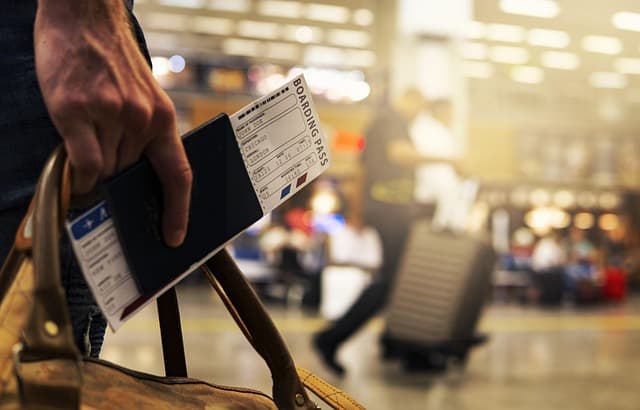
Airport Connectivity: What to Expect on Arrival
The main advantage of any travel eSIM is landing already connected. In practice:
- Install before you fly. Airport Wi-Fi is often slow, captive-portal-gated, or unreliable at exactly the moment you need it.
- Activate after landing, not before, if your plan's validity clock starts on first connection.
- Keep your home line active for ride-hailing verification codes and bank OTPs, with data routed to the eSIM.
If you are comparing providers with strong regional coverage, the same arrival workflow applies to destination-specific plans as it does to Roamless.
iPhone and Android Compatibility Notes
Most recent flagship phones support eSIM, but support is model- and region-specific. If you search for esim iPhone guidance, check Apple's own device list rather than assuming every iPhone works.
- Carrier lock is the most common blocker. A locked phone cannot install a third-party travel eSIM.
- Dual eSIM support lets you run a home line and a travel line simultaneously on newer devices.
- eSIM card is a confusing phrase; there is no physical card. The profile is digital, though some providers still sell activation via printed QR codes.
Troubleshooting Checklist
- Confirm the phone is unlocked and eSIM-capable.
- Verify the profile is installed and the line is enabled.
- Turn on data roaming for the travel line.
- Set the travel eSIM as the default for mobile data.
- Check APN values and enter them manually if needed.
- Restart the phone, then toggle airplane mode.
- Test in a different location to rule out a local dead zone.
- Contact provider support with your order ID and a screenshot of settings.
Practical Checklist Before You Buy
- Confirm every country on your route is covered by the plan you are considering.
- Check the plan's validity window against your exact travel dates.
- Verify hotspot/tethering support if you need to share data.
- Note the activation trigger (on purchase vs on first connection).
- Save provider support contact details offline before departure.
- Keep your home line active for verification codes.
- Download offline maps as a backup in case of coverage gaps.
FAQ
Is Roamless eSIM the same as Airalo or Holafly?
No. They are separate providers that all use the eSIM standard. The differences lie in destination coverage, plan durations, data allowances, pricing, and support quality rather than in the underlying technology.
Does Roamless eSIM work on iPhone?
It works on eSIM-capable, carrier-unlocked iPhones. Compatibility depends on your specific model and region, so check your device's eSIM support before purchasing rather than assuming all iPhones qualify.
Can I use a Roamless eSIM and keep my regular number?
Yes, on phones that support dual eSIM or eSIM plus physical SIM. Set the travel plan as your data line and keep your primary line for calls and SMS, though roaming charges may apply to your home line.
Why is my eSIM not connecting after landing?
The most common causes are data roaming being switched off, mobile data still assigned to your home SIM, incorrect APN settings, or a local coverage gap. Work through the troubleshooting checklist above in order.
Should I buy a free eSIM trial instead of a paid plan?
A free eSIM trial is useful for testing the installation process and confirming basic connectivity, but trial allowances are small and short-lived. For a real trip, budget for a paid plan with adequate data.
Is a travel eSIM cheaper than local SIM or roaming?
It depends on your destination and usage. Travel eSIMs often beat home-carrier roaming on cost and usually beat local SIMs on convenience, but local SIMs can be cheaper for long stays with heavy data use.
Ready to compare options for your route? View compatible eSIM data plans and match coverage to your itinerary before you fly.
Travel connected
Choose your destination and compare eSIM plans
Get digital delivery, transparent validity, and plan details before you travel.